FCOLOR LP210 vs PL800 Label Printer: What Changed and Why It Matters
- Share
- publisher
- FCOLOR
- Issue Time
- Sep 1,2026
Summary
Compare the FCOLOR LP210 label printer with the PL800. Seven practical upgrades include 75% faster print speed, photo and sublimation support, macOS compatibility, no RIP requirement, and a smaller footprint. Learn what did not change and whether upgrading fits your shop.
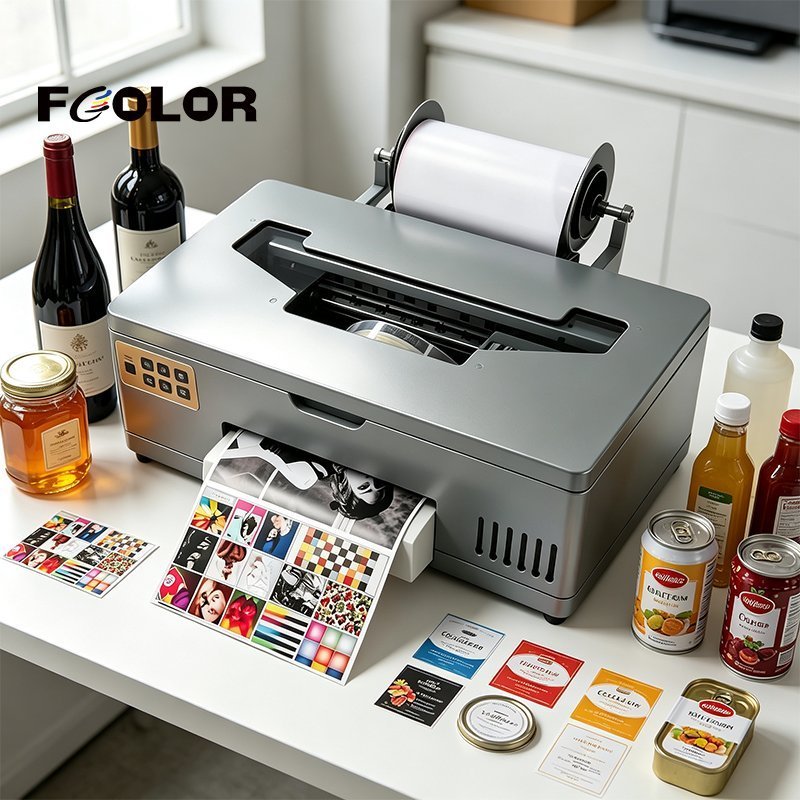
If you have been running a FCOLOR PL800 — or evaluating it — the FCOLOR LP210 is the machine that replaces it. This is not a marginal update. Seven specific upgrades address the limitations that PL800 users consistently reported in real label printing production.
This article walks through the differences in plain language, so you can decide whether upgrading makes sense for your label printing operation.
Seven Upgrades from the FCOLOR PL800 to the FCOLOR LP210 Label Printer
The FCOLOR LP210 label printer builds on the same platform as the PL800, but each of the following changes is aimed at a practical production problem.
1. Print speed: 7 PPM vs 4 PPM (+75%)
The PL800 prints at 4 pages per minute on A4. That is adequate for sampling and proofing, but slow for production. At 4 PPM, a 100-label batch takes roughly 25 minutes. The FCOLOR LP210 label printer at 7 PPM cuts that to about 14 minutes.
The speed increase comes from the print head change. The LP210 uses an XP600-based head instead of the PL800's Epson L805. The XP600 is a faster head architecture, and the LP210's electronics and feeding system are tuned to run at its maximum throughput. For shops where the printer is a production bottleneck, this changes shift scheduling.
2. Print media: labels, photo paper, and sublimation transfer paper
The PL800 is built for label media. The FCOLOR LP210 label printer adds support for photo paper and sublimation transfer paper — two media types that require different ink chemistry and different print path handling. The result is one machine that can operate as a label printer, photo printer, or sublimation printer, depending on which ink you load.
3. Ink types: pigment, dye, or sublimation
The PL800 runs pigment ink exclusively. That is correct for durable, water-resistant label output, but it limits the machine to one application. The FCOLOR LP210 label printer runs pigment for labels and documents, dye for photo prints with wider color gamut, or sublimation for heat transfer onto polyester and coated hard substrates. Changing ink requires flushing the system, which adds a transition cost, but the capability is there.
4. Operating system: Windows 7/10/11 plus macOS
The PL800 is Windows-only. The FCOLOR LP210 label printer adds macOS support. If your design operation runs on Apple hardware, the PL800 required a workaround or a separate machine. The LP210 connects, installs, and prints from a Mac without additional steps.
5. Software: no RIP required
The PL800 relies on RIP software for color management and output control. RIP software costs money, requires calibration, and adds a technical learning curve. The FCOLOR LP210 label printer prints directly from Photoshop, CorelDRAW, Illustrator, and any PDF reader using the standard Epson driver from the official website. No additional software purchase, no calibration workflow. Load media, install driver, print.
6. Machine size: 49.5 x 30 x 17 cm
The PL800 measures 55.5 x 42.5 x 36 cm, which requires either a dedicated workbench or a large share of a shared desk. The FCOLOR LP210 label printer is smaller in all three dimensions at 49.5 x 30 x 17 cm, fitting comfortably on a standard workstation desk alongside a computer and monitor.
7. Machine weight: 13 kg vs 16.2 kg
This is not a production specification, but it matters for installation, relocation, and shipping. The FCOLOR LP210 label printer is lighter, reducing freight costs for international shipment and making installation without specialized lifting equipment straightforward.
What Did Not Change: Shared Specifications Between the FCOLOR PL800 and FCOLOR LP210 Label Printer
Some specifications carried over, which means upgrading is not always about better numbers on every line.
Maximum resolution: 5760 x 1440 dpi is identical on both machines. For label and photo print quality, upgrading from the PL800 to the FCOLOR LP210 label printer does not change output resolution.
Ink supply: Both use a continuous ink system rather than individual cartridges. The siphon-feed mechanism on the LP210 refines the self-flow system on the PL800, but the fundamental benefit — lower ink cost and less downtime for cartridge changes — is the same.
Print width and roll paper format: 0.21 x 50 m / A4. The FCOLOR LP210 label printer handles the same media widths and roll lengths as the PL800, so existing roll paper stock remains compatible.
One specification where the PL800 still has an advantage: ink capacity per color is 100 ml on the PL800 versus 70 ml on the LP210. If you run very high volumes between refills and prefer larger reservoirs, this is worth noting.
Should You Upgrade from the FCOLOR PL800 to the FCOLOR LP210 Label Printer?
Upgrade is worth considering if:
- Your shop has outgrown label-only printing and wants to add photo or sublimation output on the same machine.
- You run a macOS design workflow and were using a workaround for PL800 driver compatibility.
- Print speed is a production bottleneck and 75% faster throughput would meaningfully change shift capacity.
- You are replacing a PL800 at end of service life and want the current-generation FCOLOR label printer.
Upgrade is less urgent if:
- Your operation is label-only, pigment-only, and the PL800's 4 PPM is sufficient for your volume.
- You use RIP software for color-managed output and prefer that workflow.
- The PL800's 100 ml ink reservoir capacity matters for your refill cycle.
About FCOLOR and the LP210 Label Printer Factory Package
Fullcolor Technology Limited, brand FCOLOR, manufactures digital printing equipment and consumables at its factory in Dongguan, China. The company produces UV printers, DTF printers, A4 label printers, and a full range of compatible consumables including ink systems, PET transfer film, hot melt powder, and specialty media.
The FCOLOR LP210 label printer is manufactured and tested at the Dongguan facility before shipment. The machine ships with a complete accessories package: LP210 main unit, continuous ink system with six-color ink cartridges (70 ml, in your choice of pigment, dye, or sublimation), roll paper spindle set, front paper tray, film clip bracket, cleaning maintenance kit, lubrication, screwdriver kit, driver and software USB card, and printed instruction manual.
Factory direct pricing and OEM or private-label configurations are available on request.