DTF Ink Color, Banding and Print Defect Troubleshooting
- Share
- publisher
- FCOLOR
- Issue Time
- Nov 5,2026
Summary
Five DTF ink print defects and how to diagnose each without wasting a shift: the evidence to collect first, then step-by-step fixes for inverted channels and PASS errors, ICC drift, white edge haloes from stepping and deflected nozzles, banding from feathering and platen gap, and artwork-to-print color mismatch. Includes a summary table mapping each fault to its verification step and standard solution.
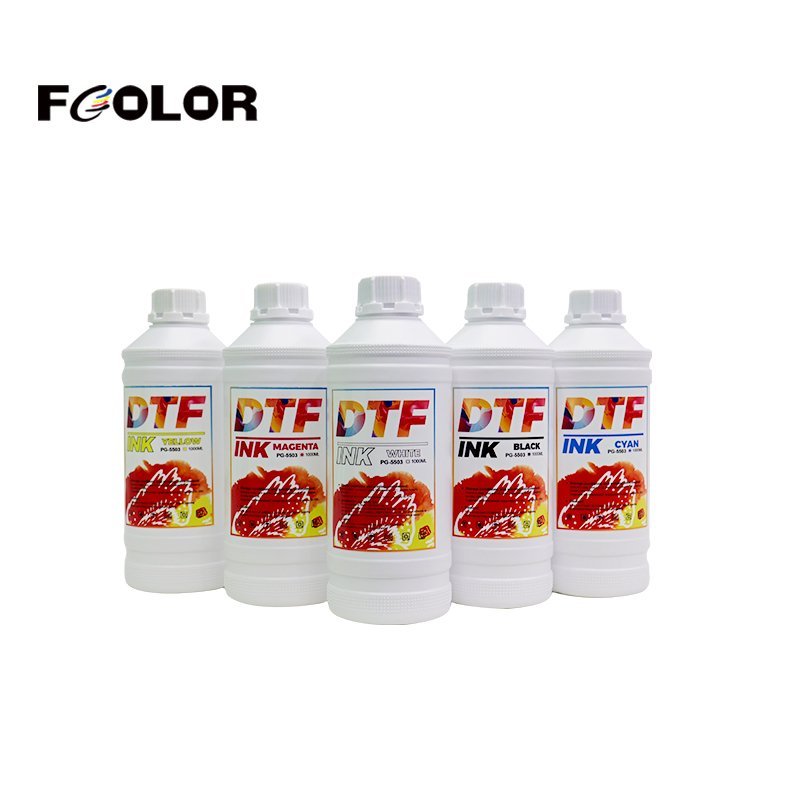
Color inaccuracies, horizontal banding and misaligned white underbases are among the most expensive interruptions in digital textile printing. A transfer comes off the printer with a dull hue, fuzzy text or a visible white border, and the operator spends the shift swapping ink bottles and scrubbing printheads — when the fault is sitting in a RIP parameter or a stepping calibration that drifted two weeks ago.
What follows is how our after-sales engineering team works through these tickets: the five defect classes, the evidence to collect before changing anything, and the specific setting or mechanical adjustment that resolves each one.
DTF Ink Print Defects: Collect This Evidence Before Touching Any Setting
Most wasted hours in a DTF ink troubleshooting session come from adjusting hardware to compensate for a software fault, or the reverse. Five pieces of evidence separate the two in minutes, and every support ticket we handle starts here.
| # | Evidence | What it tells us |
|---|---|---|
| 1 | RIP configuration capture — high-resolution screenshots of the print queue showing the active PASS setting, channel sequence and loaded ICC profile | Whether the fault is a parameter selection rather than a physical one |
| 2 | Advanced driver settings — drop size, virtual head arrangement, bidirectional stepping offset | Whether white and color channels are being driven out of registration on purpose |
| 3 | Fresh nozzle check — a crisp macro photograph of a 100% nozzle test pattern on clear film or glossy photo stock | Whether the defect is missing or deflected nozzles rather than ink or media |
| 4 | Side-by-side sample — the defective print placed directly next to a verified golden sample from the same raster file | Whether the file or the machine changed |
| 5 | Short video — 15 to 30 seconds, steady, capturing carriage movement, ink lines, damper levels and the defect appearing in real time | Intermittent faults that never show in a still photo |
A defect photo alone rarely settles anything. A nozzle check next to a golden sample usually does — and it costs five minutes.
DTF Ink Color Errors and Inverted Channels
Symptoms
Output displays completely inverted color — cyan printing where magenta belongs, black arriving as yellow — or overall saturation collapses across a standard CMYK test swatch set.
Root cause
Color errors at this magnitude are almost never chemical ink degradation. In more than 95% of field cases the cause is one of two configuration faults:
- Incorrect RIP PASS configuration — an incompatible PASS mode selected, or the wrong halftoning screening algorithm chosen in the raster engine
- Mismatched channel sequence — the physical damper order on the printhead manifold does not match the virtual ink sequence set in the machine control software
Remediation
- Compare artwork to physical output. Re-check the source graphic in a CMYK working space such as US Web Coated SWOP v2, and confirm the raster was not exported under an uncalibrated RGB monitor profile.
- Run a controlled benchmark. Print a pre-validated factory CMYK target file. Do not diagnose with a customer-supplied vector file.
- Verify physical damper alignment. Open the carriage cover and trace each ink supply tube from the bulk tank, through the peristaltic sub-tank and damper, to the printhead manifold. Then cross-examine the software channel mapping table — if channel 1 is mapped to black in the RIP, port 1 must carry the black supply line.
- Re-test on pristine media. Replace the film with a freshly unsealed sheet of FCOLOR high-loading matte PET film at identical settings, to rule out localized surface contamination.
DTF Ink Color Shift and Tone Drift
Symptoms
Colors land broadly where the artwork intended, but skin tones read greenish, greys carry a visible magenta cast, or a corporate Pantone drifts well away from the approved swatch.
| Diagnostic step | What to inspect | Corrective action |
|---|---|---|
| 1. Baseline | Historical print comparison | Reprint the verified test target |
| 2. Mechanical state | Nozzle check pattern | Confirm every nozzle is firing clean |
| 3. Software setting | Active ICC profile name | Reload the factory certified profile |
| 4. Ink supply | Sub-tank levels and ink age | Agitate the tanks; replace aged batches |
Root cause
- Unintended ICC profile alteration — print mode switched from 6-pass to 8-pass without switching to the matching calibrated profile
- Ink limits overridden — total ink volume percentage or linear curves modified in the RIP advanced driver panel
- Incompatible third-party profiles — a generic profile built for a different pigment density and viscosity, applied to our ink
Remediation
- Verify nozzle health. Print a full nozzle check. Missing segments or deflected lines cause color shift on their own, because too few micro-droplets reach the film.
- Restore the factory ICC curve. Reload the certified FCOLOR curve generated for your specific printhead model — i3200-A1, XP600 and 4720 each take a different file.
- Profile it yourself where the RIP is non-standard. On specialised builds of Maintop, Photoprint, CADlink or Wasatch, scan an IT8.7/4 target with an industrial spectrophotometer and build an individual profile against your workshop humidity and curing workflow.
DTF Ink White Edge Haloes and Underbase Misregistration
Symptoms
A crisp white border, from 0.2 mm to over 1 mm, protrudes around the edges of colored graphics — or the white underbase shifts laterally, exposing bare film on one side and leaving a white halo on the other.
Root cause
- Stepping and bidirectional drift — vibration over long runs loosens belt tension, or carriage stepping calibration falls out of sync
- Slanted spray — contaminants, fibre dust or dried pigment crust on the nozzle plate deflect drops off their vertical path
- Loose or damaged head ribbon cables — intermittent signal transmission across a flex cable introduces micro-delay timing errors between white and color passes
- Wiper and capping contamination — a hardened or deformed rubber wiper smears ink across the plate instead of wiping it clean, destabilising drop trajectory
Remediation
- Audit recent mechanical adjustments. Establish whether pulleys, belts or carriage bearings were touched before the defect appeared.
- Run full machine calibration. Execute the bidirectional alignment utility and align both color-to-color and color-to-white registration swatches, then run feed stepping calibration so the grit roller advances the PET film precisely per carriage pass.
- Inspect nozzle plate and wiper. Clean accumulated gummy pigment paste from the capping station and wiper with lint-free swabs and FCOLOR cleaning fluid. If the wiper edge is nicked or rounded, replace it immediately.
- Verify the ribbon cables. Power down, reseat the printhead ribbons into the carriage board sockets, and inspect for broken traces or ink penetration.
DTF Ink Banding and Blurry Printing
Symptoms
Fine text and thin vector outlines come out soft, fuzzy or doubled, with repetitive horizontal white or dark micro-lines running across the direction of carriage travel.
Root cause
- Missing nozzles — micro-clogs in individual orifices starve the print matrix of dots
- Feathering set too low — at high speed this leaves a distinct seam between successive passes
- Excessive head flying distance — a platen gap set too high lets turbulent air scatter satellite droplets
Remediation
- Evaluate the nozzle check. Determine whether missing lines are localised to specific color channels.
- Raise the feathering mode. Move from None or Low to Medium, High or a wave/gradient algorithm. Feathering breaks straight pass seams into distributed dot patterns and camouflages minor stepping variation.
- Set the platen gap. Keep the vertical clearance between the printhead underside and the PET surface strictly within 1.5 mm to 2.0 mm. Beyond 2.5 mm, dot scatter and edge blur become severe.
- Purge in two stages. Run two automated cleaning and ink pumping cycles. If banding persists, move to controlled manual flushing with dedicated FCOLOR cleaning solution and airtight capping maintenance.
DTF Ink Output That Does Not Match the Artwork
Symptoms
Contrast flattens, highlights blow out, shadows crush, or specific hues simply do not match the design on screen in Illustrator or Photoshop.
Root cause
- Color space mismatch — files built in sRGB or Display P3 contain shades outside the four-color textile pigment gamut, and cannot be reproduced without deliberate rendering intent mapping
- Wrong rendering intent — Absolute Colorimetric instead of Perceptual, or Relative Colorimetric without black point compensation, produces hard tonal clipping in gradients
- Vector overrides left active in the RIP — spot color substitution tables silently replacing design color codes
Remediation
- Inspect the design file. Confirm vector spot colors are explicitly mapped to process CMYK, unless a white or varnish spot channel has been deliberately assigned.
- Standardise the rendering intent. Relative Colorimetric for commercial graphics with hard corporate logos; Perceptual for continuous-tone photographic portraits.
- Re-verify the output. Print again at factory recommended 720×1200 dpi or 720×2400 dpi and check whether gradation returns to nominal.
DTF Ink Defect Summary: Five Faults, Five Fixes
| Issue | Key verification | Root cause class | Standard solution |
|---|---|---|---|
| Color error | Target artwork versus output; pre-validated test file | PASS parameter error; virtual channel sequence mismatch | Correct PASS setting; match software channel sequence to physical dampers |
| Color cast | Nozzle check; comparison against golden sample | ICC modified or corrupt; driver advanced settings changed | Reload certified factory ICC; rebuild a custom curve with a spectrophotometer |
| White edge | Encoder strip inspection; bidirectional test pattern | Deflected nozzles; mechanical step drift; worn wiper | Run bidirectional and step calibration; clean or replace wiper and capping station |
| Banding | Nozzle check; feathering value; platen gap | Missing nozzles; low feathering; excessive head height | Increase feathering; set head height to 1.5–2.0 mm; clean the head |
| Artwork mismatch | Source color space audit; spot color tables | Rendering intent mismatch; RIP color replacement libraries | Standardise on Relative Colorimetric; clear spot overrides; update ICC |
One pattern runs through all five: the ink is the last thing to suspect, not the first. Batch-consistency problems do exist, and when they do they show up as a step change on a fixed machine running a fixed file — not as an inverted channel or a white edge that grew gradually over three weeks.
About FCOLOR DTF Ink
Dongguan Fcolor Digital Technology Co., Ltd. formulates and synthesises digital inkjet inks and specialty transfer media at its plant in Humen Town, Dongguan. The lines relevant here:
- DTF inks — pigment dispersion under 150 nm, high-opacity rutile white with anti-settling formulation, and vivid CMYK sets
- UV DTF crystal label systems — high-adhesion A-film bases and precision release B-films for zero-bubble cold transfer
- Sublimation, textile pigment and reactive inks — built for color fastness and stable high-speed jetting
Every consumable batch passes multi-stage quality control for chemical consistency from batch to batch — which is what makes the diagnostic logic above work. If the ink is a variable, none of these protocols hold.